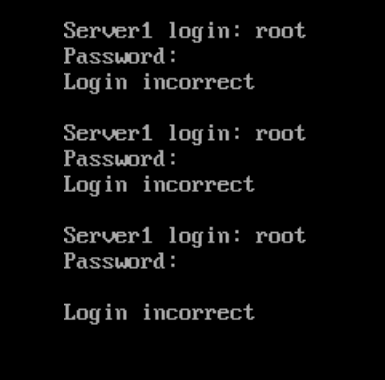
So, you've probably forgotten the root password to your system and thought that it was all over, and you have to make another one. Fortunately, there is a way to recover your system even when you've lost the password (for future reference, write it down somewhere secure): by Breaking The Root Password.
Lab Environment
Virtual Machine - VMware Workstation Pro
Operating System (ISO Image) - Red Hat Enterprise Linux 10.2 (DVD ISO)
Step-by-Step Process
1.) First, while booting your system, interrupt GRUB by pressing any key. You should then see this screen:
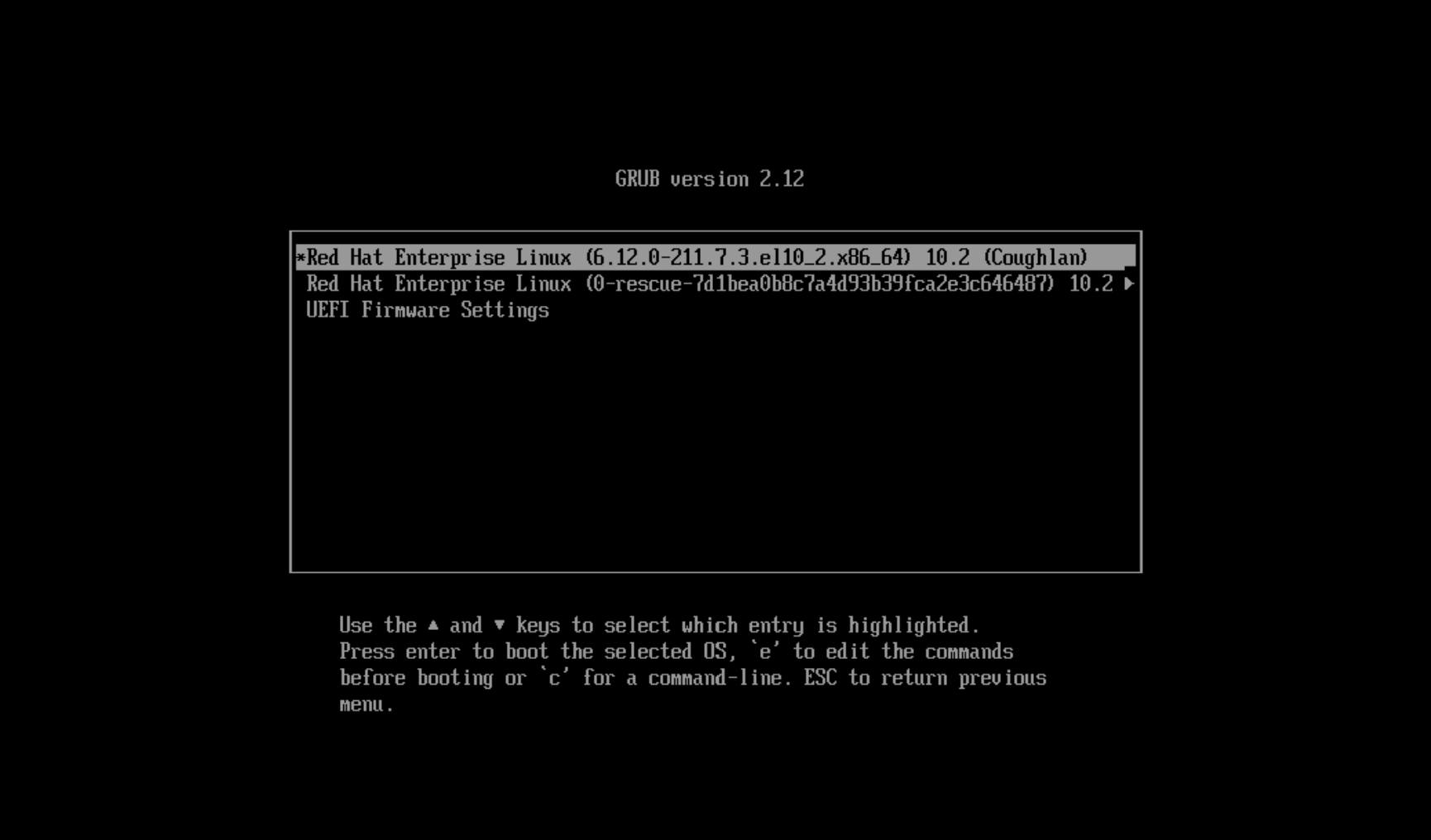
#This is the GRUB boot menu. GRUB stands for Grand Unified Bootloader, and it's the program that runs before Linux starts; its main job is to load the Linux kernel and begin the boot process.
2.) Go to the second option (the one that has the word rescue) and press e to edit the command. Doing so should bring you to this menu:
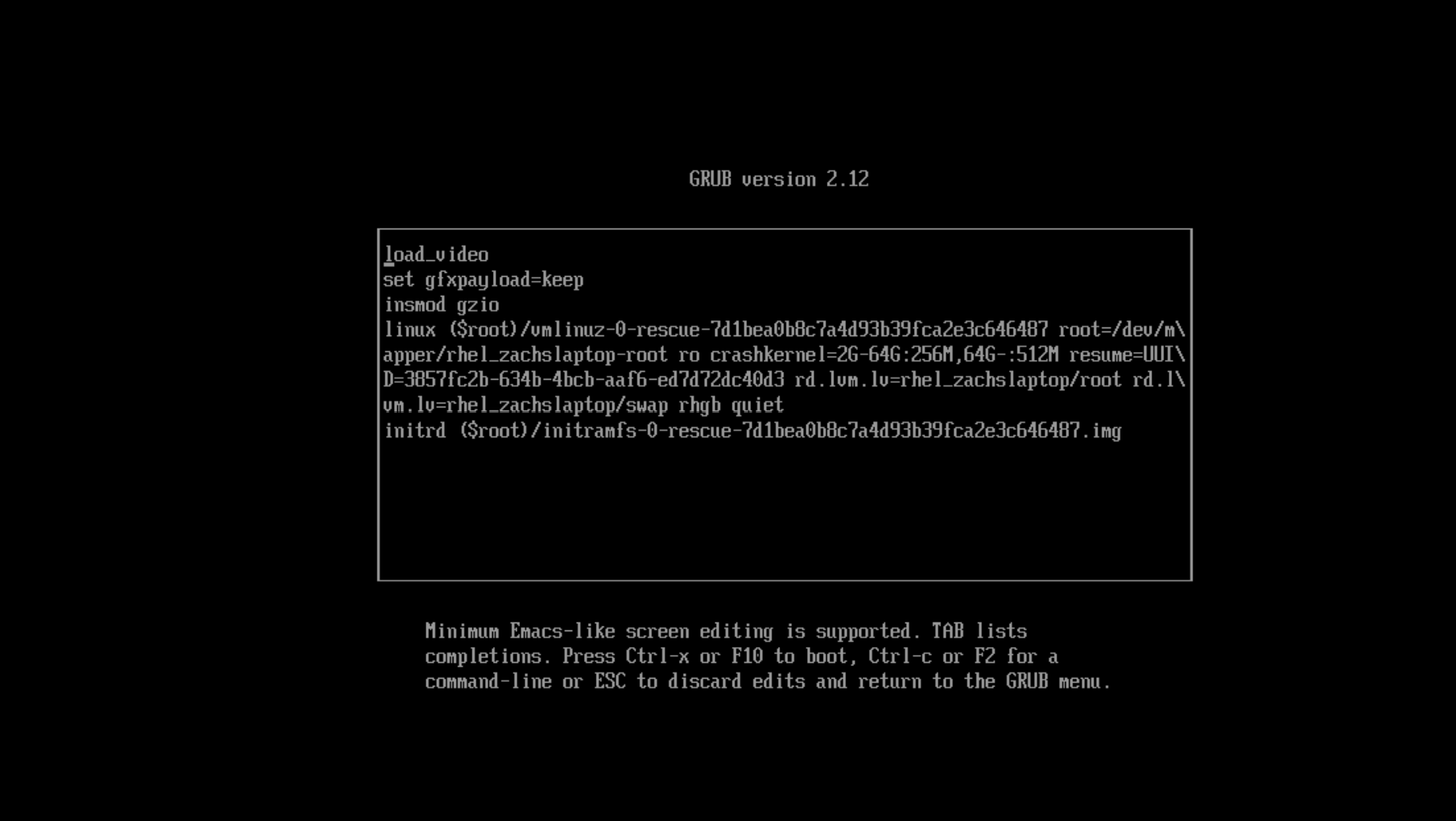
#This is the GRUB edit screen; it displays the commands used to boot the system. It can be used for troubleshooting and recovering your system.
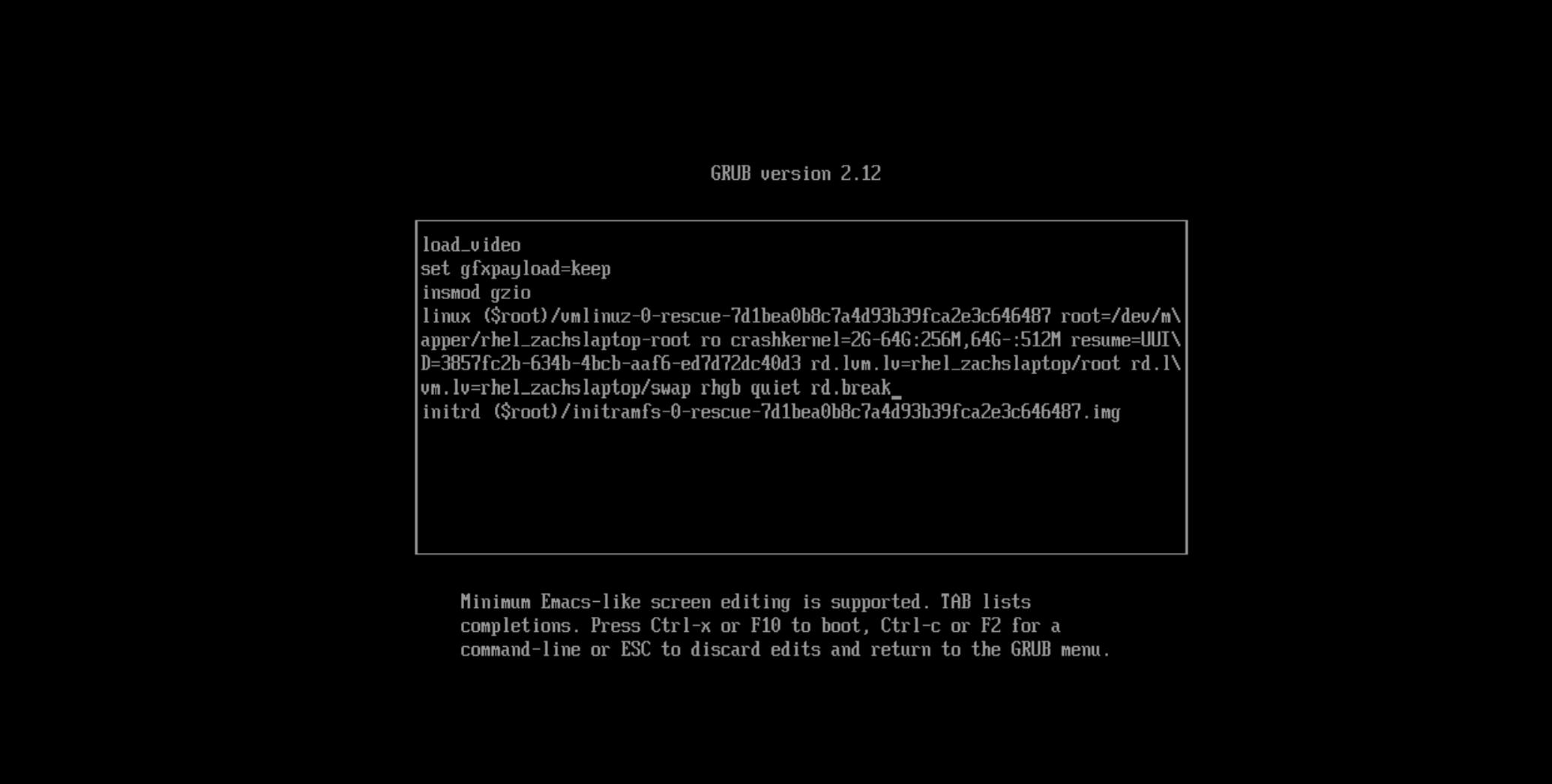
3.) Edit the end of the line that starts with "linux*"* and type rd.break, then press Ctrl+X to boot into the chroot environment (when on the linux line, press Ctrl+E to get to the end faster). This is basically the "Pre-boot" of the system, designed so that you can change something before you actually boot your system.
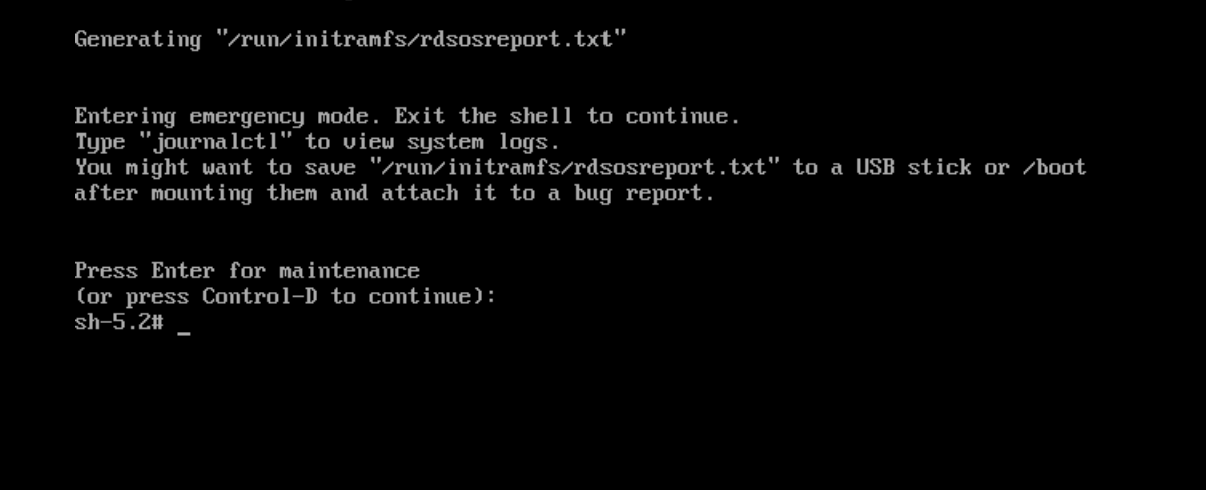
4.) Right now it's read-only; you cannot modify anything. To modify something, you must change it from read-only to read-write by mounting the system to /sysroot using the command mount -o remount,rw /sysroot.
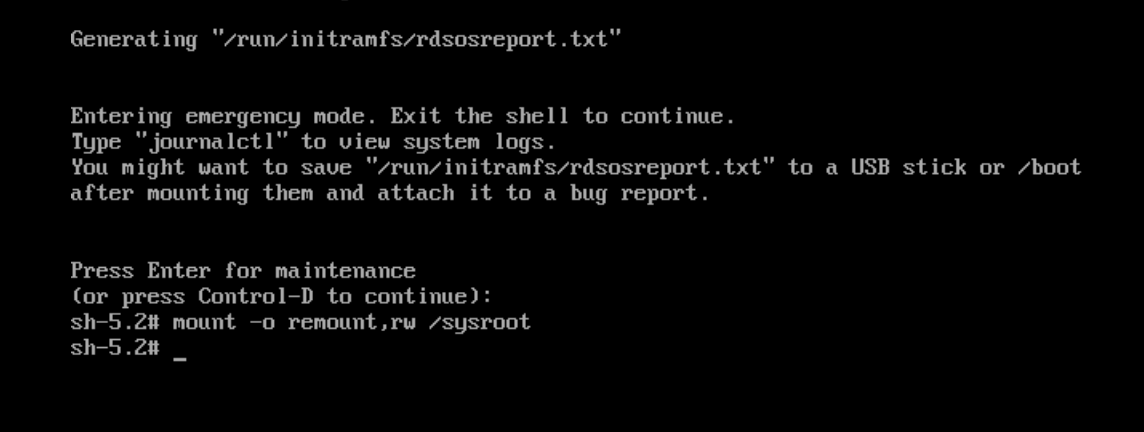
#mount -o stands for mount options; the option you are choosing in this case is remounting /sysroot to read-write.
5.) Use the command chroot /sysroot and (on a newline) passwd root to change the root password (change it to anything you want, but just be sure to remember it this time :) ).
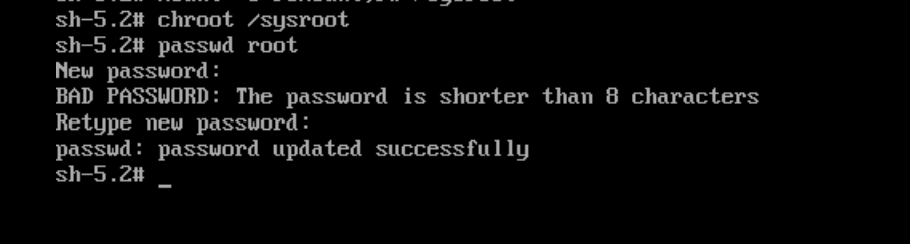
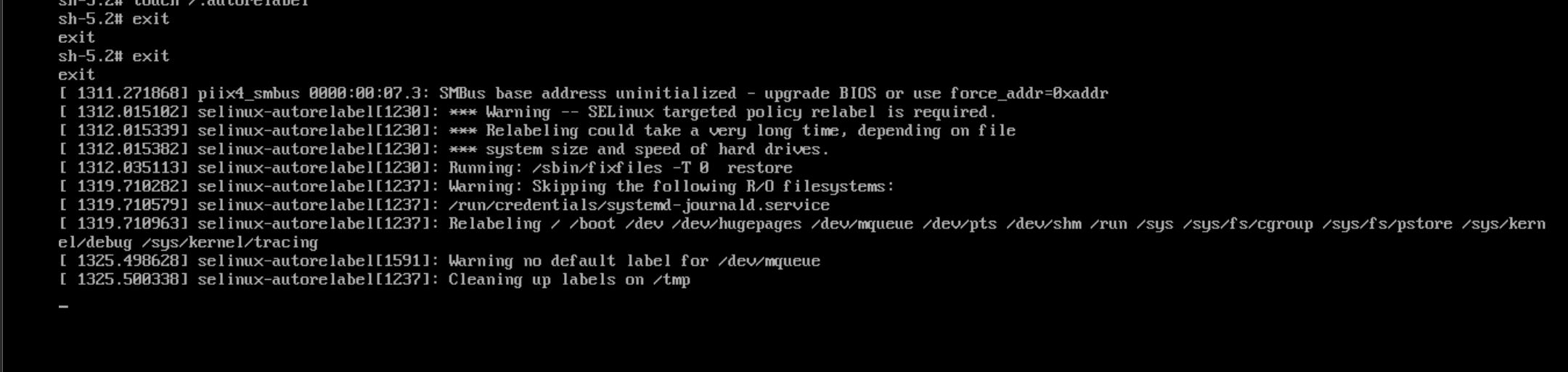
6.) Now this is the most important part: create a hidden file /.autorelabel by using the command touch /.autorelabel (WARNING: if you misspell "autorelabel" you can potentially lock yourself out of your system forever).

#You can create a hidden file by putting a ' . ' before the file name (i.e touch /.hiddenfile).
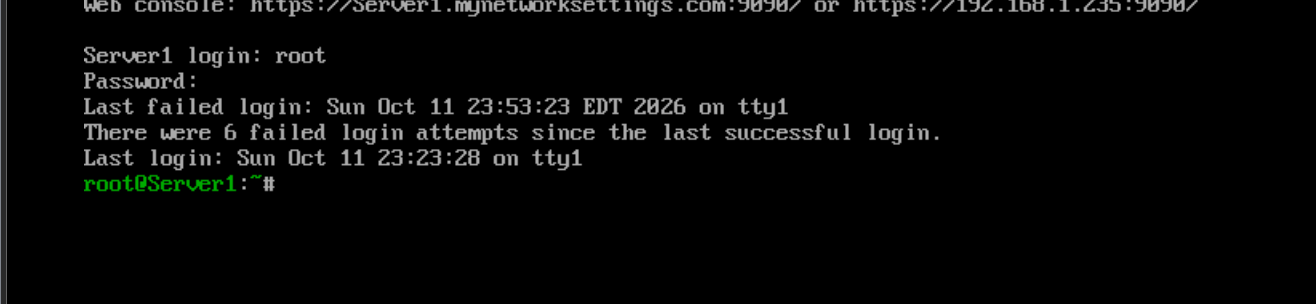
7.) Now exit, and you've successfully broken the root password.
Closing Remarks
Although this was a fairly straightforward process, understanding how to break the root password is an important skill for Linux administrators because it provides a way to recover a system even when access is lost. Thank you for joining me on this learning journey, and make sure, for future practice, that your passwords are either memorized or securely documented.
About the author
- My name is Zacharie, and I am a freshman studying Computer Engineering. I am very interested in Linux and have experience with RHEL, as well as a Red Hat Systems Administration Certification.
Comments
Join the discussionNo comments yet. Be the first to comment.